ditto list
Lists all snapshot files found under a path in a table showing test name, key, recorder, file size, and last-modified date.
Usage
Examples
Screenshot
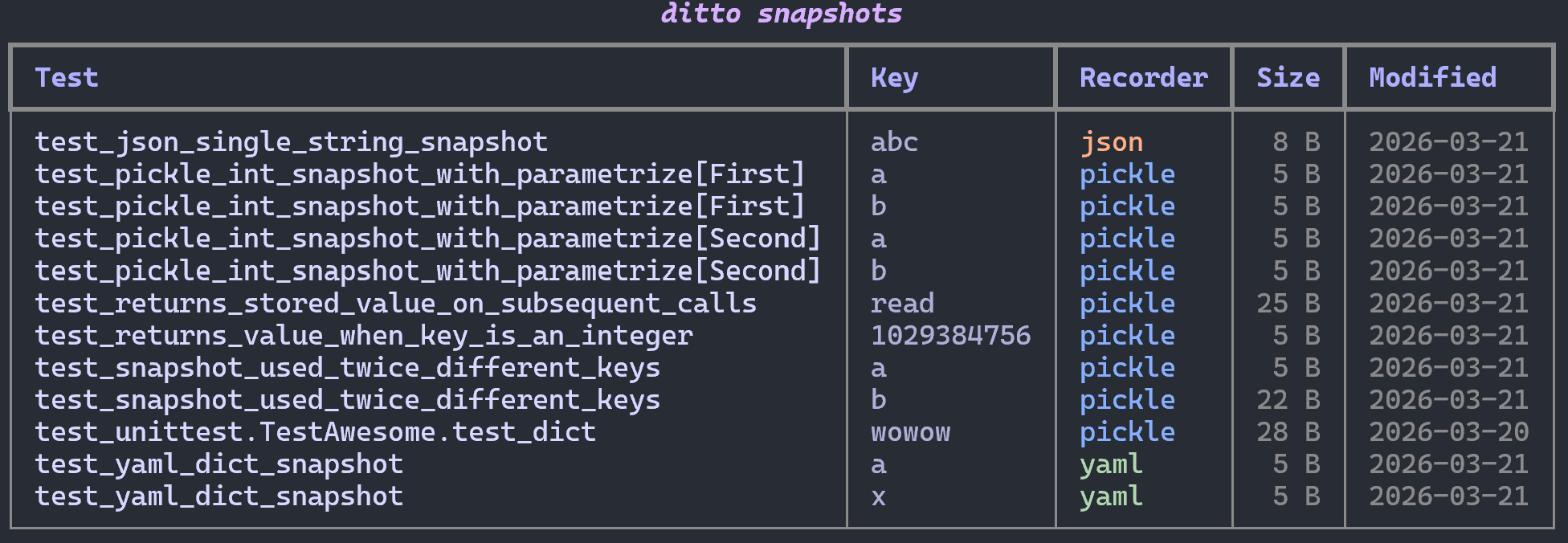
Output
Displays a table with columns:
| Column | Description |
|---|---|
| Test | Test function name |
| Key | Snapshot key |
| Recorder | Format used (json, yaml, external formats, etc.) |
| Size | File size |
| Modified | Last-modified date |
Data source
By default this command is credential-free: local snapshots are read from the
filesystem (real size and modified date, including on-disk orphans) and remote
snapshots are read from ditto.lock (shown with — for size and modified, since
physical metadata needs a live connection). No test modules are imported and no
credentials are needed.
Pass --live to read the live backends instead, via an internal
pytest --setup-only pass — authoritative physical state for every target, at the
cost of importing your tests and needing their credentials.
See The Lock File.